Design system
Video players
The ways a project page can play its episodes. Each project chooses one with its “Episode player” setting; Automatic uses the Screening room for 12 or more videos and the Reel for fewer. These are the episodes of Crayola.
Nothing loads from YouTube except the pictures until you press play, and the videos then play from YouTube’s privacy-enhanced address. Click an ID to copy it for feedback.
Screening room
A big screen with the episode list beside it, like a streaming service. Pick an episode and it plays straight away; it can carry on to the next one by itself.
- Computer: the list sits beside the screen at the same height and scrolls on its own, so the page never gets longer.
- Phone: the screen runs edge to edge and stays pinned under the header while you scroll the list, like the YouTube app.

Season 1 · Episode 1 of 16
Mermaid Rock Band Concert?!
-
 E01
Mermaid Rock Band Concert?!
-
 E02
Shark-Themed Water Park Adventure with the Crayola Crew!
-
 E03
Spooky Campfire Stories with Crayola Crew
-
 E04
Crayons Learn to Fly Like Butterflies
-
 E05
Magic Ice Cream From an Abominable Snowman!
-
 E06
Skeleton's Colorful Shark Ship Journey!
-
 E07
The Great Balloon Soccer Race Challenge! Who Will Win?!
-
 E08
Volcano Makes DRAGON Fireworks Fun Adventure!
-
 E09
Camping Fun in a Glow in the Dark Forest!
-
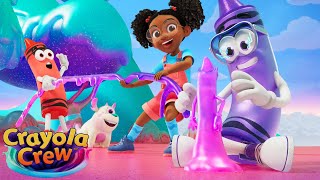 E10
Slime Planet with Spooky Aliens!
-
 E11
How to Make a Halloween Monster Movie?!
-
 E12
Spaceship Fixing CHALLENGE in a Butterfly Forest!
-
 E13
DINOSAUR HUNT! With A Walking Truck?!
-
 E14
Winter Ski Jump CHALLENGE!
-
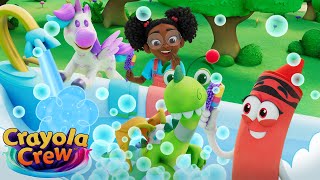 E15
Bath Time Routine with a Unicorn and a Dragon!
-
 E16
Epic Candy Birthday Party with a DRAGON?!
-
 E01
Rainbow Crystal Cave Chaos
-
 E02
Racing to the Finish!
-
 E03
Fashion Show with Funky Hats!
-
 E04
Pillow Fort Racing!
-
 E05
Stuck in Messy RAINBOW Paint!
-
 E06
Pop Up Book Surprise!
-
 E07
Snowball Fight with Living Snowmen!
-
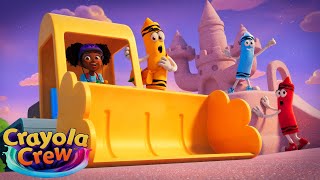 E08
Making Memories with Excavators!
-
 E09
Making DIY Colorful Swirl Decorations!
-
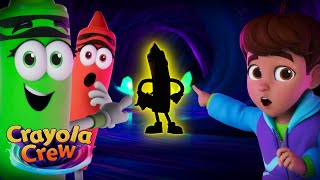 E10
A MYSTERY Member of Crayola Crew! Who Could it Be?
-
 E11
Let's Play the Dizzy Game!
-
 E12
Fizz Can't Dance!
-
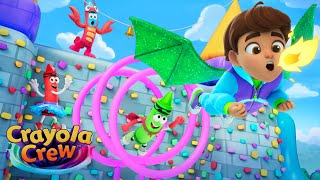 E13
Halloween Costume Games!
-
 E14
Back to School Dress Up!
-
 E15
Mystery Egg Surprise!
Reel
Episodes as large frames in a row you slide through, with a ruler of every episode underneath, one mark per episode, grouped by season. Drag along the ruler to flick through the whole series.
- Computer: the frame in the middle is lit, its neighbours wait at the sides; arrows or the arrow keys move along.
- Phone: swipe the frames with your thumb, or drag the ruler to jump a whole season in one move.


Shelves and cinema
Each season is one shelf of thumbnails. Choosing one dims the page and opens a cinema view: the film large, with what plays next underneath. Closing it puts you back where you were.
- Computer: two shelves take the room of one, whatever the number of episodes; arrows slide each shelf.
- Phone: the cinema view fills the screen; swipe the title left or right for the next or previous episode.
Season 1 16 episodes
-
E01
Mermaid Rock Band Concert?!
-
E02
Shark-Themed Water Park Adventure with the Crayola Crew!
-
E03
Spooky Campfire Stories with Crayola Crew
-
E04
Crayons Learn to Fly Like Butterflies
-
E05
Magic Ice Cream From an Abominable Snowman!
-
E06
Skeleton's Colorful Shark Ship Journey!
-
E07
The Great Balloon Soccer Race Challenge! Who Will Win?!
-
E08
Volcano Makes DRAGON Fireworks Fun Adventure!
-
E09
Camping Fun in a Glow in the Dark Forest!
-
E10
Slime Planet with Spooky Aliens!
-
E11
How to Make a Halloween Monster Movie?!
-
E12
Spaceship Fixing CHALLENGE in a Butterfly Forest!
-
E13
DINOSAUR HUNT! With A Walking Truck?!
-
E14
Winter Ski Jump CHALLENGE!
-
E15
Bath Time Routine with a Unicorn and a Dragon!
-
E16
Epic Candy Birthday Party with a DRAGON?!
Season 2 15 episodes
-
E01
Rainbow Crystal Cave Chaos
-
E02
Racing to the Finish!
-
E03
Fashion Show with Funky Hats!
-
E04
Pillow Fort Racing!
-
E05
Stuck in Messy RAINBOW Paint!
-
E06
Pop Up Book Surprise!
-
E07
Snowball Fight with Living Snowmen!
-
E08
Making Memories with Excavators!
-
E09
Making DIY Colorful Swirl Decorations!
-
E10
A MYSTERY Member of Crayola Crew! Who Could it Be?
-
E11
Let's Play the Dizzy Game!
-
E12
Fizz Can't Dance!
-
E13
Halloween Costume Games!
-
E14
Back to School Dress Up!
-
E15
Mystery Egg Surprise!
Single
A project with only one video gets this screen on its own, whichever player is chosen.